




Navbar

Gameplay

All the latest information on the newest glitches and crashes making your game a little more entertaining, along with articles about how to do various semi-game related things to help you or your neighbours.

Wednesday, 27 July 2011

That Dang Blasted Internet...

We've all been there, we're doing a mission looking nervously over our shoulder, the deep bass music on the soundtrack giving us the heebie jeebies, the occasional camera view into an empty doorway... why is the director showing us it, there MUST be a reason...

We carry on, slowly, tentatively, it's almost at the end, we may get through this alive after all! When...

*Crescendo of dramatic music, flash camera switches to the doorway, now full of old pioneersman, we turn, we scream, the apparition bellows...*

"Blasted Internet seems to have gone quiet... let's try a refresh"

*Close-up on us, eyes going dulled, slumping down against the desk lifelessly, our moaning words "not 200 peas again...", crossfading to an artistic shot of our lifeblood (Mountain Dew) soaking into the carpet...*

OK, so it's never QUITE that well shot but the sight of a Blasted Internet popup is one of the most common and frustrating things on the Frontier, so I thought I'd do a little roundup of what we know so far about causes and possible solutions.

The basics...

The Blasted Internet warning appears to be when the game has a disruption in it's connection to home base, a break in the line. The game has either stopped being able to talk to the server or doesn't know how or why to tell it to do what it wants to (more on that later).

EDIT: These days this has now become the Report/Refresh warning... just to spice things up a bit and give us the option to report in the issue to Zynga, they do get them and use them.


Type 1 - The Time-Based Blasted.

Symptoms - If I don't do anything in the game for a certain length of time, I get a Blasted. These are usually totally harmless and don't take any progress away. It could simply be a way of putting the game to sleep if you've left it for a while.

Solutions - Except for not stopping playing (an option for some of us) there's not an awful lot we can do really. As I said before, this one is largely harmless, just makes you refresh the game.

Type 2 - The Activity-Based Blasted.

Symptoms - Sometimes the game will inadvertantly let us do something we shouldn't, or someone with too much time on their hands will find something they can do that the devs hadn't even considered the need to cover. Occasionally, it must be said, something we CAN do has an issue...

What then happens is the game wants to report this activity to the server, but doesn't know HOW to, let's use harvesting stored animals while using a Quick Draw Quaff as an example (not sure if this one is fixed yet, but it's a good one to use).

When we harvest stored animals it doesn't work the same way as harvesting them on our homestead, rather than run an action on an individual asset, it just totals up the animals fed and takes that amount of energy in a bunch. Which brings us to the problem.

On the one hand, the game is being told that X amount of energy was taken, but then on the other hand, it's saying we've got this thing that lets us do five things with each action... which means we used Y amount of energy, but X was taken, so Y can't be taken... and basically the game gets its bloomers in a bunch and has an attack of the vapours, giving us the dreaded Blasted.

Solutions - This is going to sound somewhat sarcastic BUT... stop doing what you were doing. If something you do once causes a blasted it may be a Type 3 (to follow).

Equally if you've done something outside the realms of gameplay (basically cheating, either knowingly or because a YouTube video on a dodgy fansite told you to) then stop doing it, put things back how they were and see if that helps.

If, however, you do something twice or three times, the exact same activity, and it causes a blasted... it's got an issue, it likely as not won't magically fix itself and your best bet is simply not to do that action until either a fix is reported or the saloon drink you've got running (a common Blasted cause) has worn off.

Type 3 - The Random Blasted.

Symptoms - Anything and everything...

Solutions - Stuff happens sometimes, if the next time you do something works, it was just a moment of sillyness, the internet might have dropped out for a second, your router might have hiccuped and lost a data packet, Zynga's internet might have done the same... sometimes it's just a totally random bit of daftness. We sigh, we refresh, we play.

The ultimate c'est la vie time.

Type 4 - The Constant Blasted.

Symptoms - Every few minutes, every day... we know there are people who have Blasted Internet issues CONSTANTLY... Whatever they do, whatever they try, it happens, and it sucks.

Solutions - If you're having Type 4's then this is the bit you probably don't want to hear. Solutions for this seem difficult and fluid. The problem in troubleshooting them is this, I have no Blasted problems, someone with EXACTLY the same setup as me might have them constantly.

I don't doubt one of the first things Zynga does is check servers when people report this, so the chances of it being that are slim, so it's an enigma.


Imagine troubleshooting yourself, say with your satellite or cable box. You and your next door neighbour have the same box, with the same company, on the same package. Same hardware, same supplier.

If both you and your neighbour find your box crashes when you try to watch Channel 42 then you'd be able to guess there was a problem with Channel 42, you could contact your supplier and, with confidence, say this is a problem.

What if you couldn't watch Channel 42 but your neighbour could, you'd imagine it's a problem with the hardware. Same again, a report to CS would be easy.

But... what if you couldn't watch Channel 42 between 9am and 3pm, but your neighbour could... although they can't watch Channel 99 between midnight and 4am (although we all know what's on at that time so he likely wont admit it...) and Channel 17 is actually Channel 71.

Give a Support Op that and he'll likely go cross eyed trying to work it out (especially if he tries watching Channel 99 from midnight...) and that's currently the issue Zynga are having. When folks chat to us about the constant Blasteds there are no common factors more often than not, which makes it very hard to troubleshoot.

Hopefully most people with Type 4's find it often fixes itself, or Zynga track down the one little problem with their personal setup that's causing the glitch.

Unfortunately for now, all we can suggest are the staple fix items... Clear your browser cache, clear your Flash cache and try a different browser.

Friday, 22 July 2011

Inn Upgrade Bonuses

So, you've completed the Inn Upgrade and all four of it's missions... now it's time to fill those rooms... BUT, what will you get for it?

Well, here's the full list of bonuses! (ALL of them will have the same chance of collecting an item from the Inn L'Amour Collection and 3 energy points)

Fill No Rooms: 250 Coins

Fill One, Two or Three Rooms: 500 coins, 1 care package

Fill Four, Five or Six Rooms: 750 Coins, 1 care package

Fill Seven, Eight or Nine Rooms: 1000 coins, 2 care packages

You'll also get an increasing chance of getting at least one item from the list below, from a small chance with just one or two rooms filled up to a guaranteed shot at more than one item appearing for maxing out the Inn L'Amours lovin' potential.

Injured Animal Items: Milk Bottle, Carrot Juice, Chunky Chow, Fuzzy Blanket, Juicy Berry.

Horse Boosts: Apple, Carrot, Sugar Lumps boosts, Bronco Tonic for racing.

Spring Water

Poker Card

Drink Ingredients: Iced Tea, Mineral Water, Granny's No. 5, Mule Kick Mix, Oat Concentrate.

The items are randomly selected, you won't get one of each, it's luck of the draw.

Wednesday, 13 July 2011

Game Reset Times


Resets UK GMT
(BST +1)
US PST
(Zynga Time)
Australian CST
The Daily Reset


This covers neighbour visits, gift limit and wall post limit resets
etc
12 Midnight
0000
4PM
1600
9.30AM
0930
8 Hour Resets


Some things let you ask three times a day, in which case they'll be at these times, 8 hours apart.

12 Midnight
0000


8AM
0800

4PM
1600
4PM
1600

12 Midnight
0000

8AM
0800

9.30AM
0930


5.30PM
1730

1.30AM
0130
6 Hour Resets


Some things let you ask four times a day, in which case they'll be at these times, 6 hours apart.

12 Midnight
0000


6AM
0600

12 Noon
1200

6PM
1800
4PM
1600

10PM
2200

4AM
0400

10AM
1000

9.30AM
0930


3.30PM
1530

09.30PM
2130

3.30AM
0330
4 Hour Resets


Some mission and building items let you ask six times a day, in which
case they'll be at these times, each one 4 hours apart.

12 Midnight
0000


4AM
0400

8AM
0800

12 Noon
1200

4PM
1600

8PM
2000
4PM
1600

8PM
2000

12 Midnight
0000

4AM
0400

8AM
0800

12 Noon
1200

9.30AM
0930


1.30PM
1330

5.30PM
1730

09.30PM
2130

1.30AM
0130

5.30AM
0530

If your timezone isn't listed you can work out your reset times using this clock which is set to Zynga Time (US PST).

Monday, 13 June 2011

Things we should remember to do daily...

...but often don't.

Because we're so used to having missions on the go telling us what to do there's a few simple and easy things we should do at least daily (if not more) but just don't, we either don't think about them or we don't get around to it.

So, here is a quick to-do list of those oft forgotten but oh so helpful things we should always try to remember to do.

Building Bonuses...

Remember to collect all your building bonuses every day, I do mine all at one time so I know they're done and you'd be amazed what a quick whip round will garner in terms of XP, food, energy etc.

Also remember bonuses that can be collected MORE than once a day. The Water Well can be collected from every 12 hours and the Toll Booth every 6. The booth can be anything between 1 and 200 of each resource and, surprisingly, you have a better chance (over twice as likely) of getting a higher prize than a lower one.

No Energy left behind...

Do we all make sure we're empty before leaving? how about if we're on the computer all day but think no crops or animals will be ready any time soon so we'll stay off the game for a few more hours.

Remember every energy point can be valuable, before leaving do any old thing to use up any spare energy you have. If there are no animals or crops etc that need looking at clear some debris or single chop a few trees, they'll be all healed back up by the time you come back again the next day!

Equally if you have the chance, nip on and burn some energy when you can. An average energy bar is around 30-40... well, a 35 energy bar will be filled in just under 3 hours, and then there is no more... just one quick run around some animals etc when you have a spare 5 minutes can mean a lot of extra goodies, even if you wont be on for a proper gaming session for another few hours.

Don't ignore anything...

If you're like me you tend to your growing animals first, sheep, oxen etc. Make sure, however, that you don't forget the mystery and injured animals! Some Mystery animals such as the deer and rabbit give good food rewards per click and in the case of the rabbit are tendable very often.

Also healed injured animals (bit of an oxymoron) still take NO energy to feed, either by hand or using the feeder so you've never got any excuses to leave a healed snimal with a yellow arrow, it's free stuff!

Neighbours, everybody needs good neighbours...

Don't wait for a mission to tell you to hire folks, get your neighbour visits in, and if you haven't already complete the "Writing" schoolhouse lesson to up your amount of hireable neighbours to three, long term it's one of the most useful of all the lessons.

Every time we hire a neighbour we get an amount of XP relative to their reputation level, so hire daily and pick your hires well, check those rep figures in the neighbour bar!

Equally, if there's nothing going on on your own homestead get visiting, each visit gets you coins, energy and cloth and then on top of that all the goodies from whatever you do during the 5 tends! Plus if you visit a new neighbour you'll get 5 times as much stuff!

So not only are you getting free stuff elsewhere you're also picking up energy to use on your own homestead, win-win!

Trade ya...

Check the Trading Post, a lot of the newer things to be added are traded for 20XP, and if you've picked up a lot of rubbish from one mission that's a damn good return on it!

To paraphrase Rudyard Kipling...

If you can fill the unforgiving minute,
With sixty seconds' of homestead stuff done,
Yours is the Frontier and everything that's in it,
And, which is more, you'll be a Pioneer, my son!

Sunday, 8 May 2011

Dog Activities - The Guide

We all know our dogs are going to help out... so lets doggedly chase down a quick guide to everything your canine pal will help you out with!

How to activate your dog

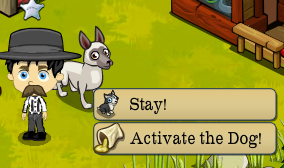
When your dog is either following you or sat at his/her bowl click them and select the "Activate" option and you'll see your deputy star appearing above the dog's head. What you can do now depends on what you've trained them to be able to do! Each activity costs Chunky Chow.


Digging Training
- Clear Debris - Cost: 1 Chunky Chow per clear

Activate your dog, aim him at debris and watch him dig them up effortlessly. This also works as a CARE PACKAGE and will drop needed items for missions.

Hunting Training
- Clobber Varmints - Cost: 1 Chunky Chow per clobber

Once your dog is activated he can save you some energy by clobbering varmints for you. Simply click on the pesky critter and it'll be gone in just one attack, even a bear can be removed in a single hit.

Herding Training
- Tend Animals - Cost: 1 Chunky Chow per tend
- Boost Animals - Cost: 1 Chunky Chow per boost

Using your trained dog on an animal can be done in one of two ways. Using them on a ready animal will tend the animal as usual. However, using the dog on an UNREADY animal will work in much the same way as the animal ready boost. It'll make that animal instantly ready to tend, a very hand thing to have for timed missions and probably what most folks will use their dog for.

Chunky Chow - Where to find it.

Obviously with it being such an important resource, we'll also wan't to get hold of Chunky Chow, but where can we find it... well:

As a neighbour request - From the Kennel and dog interfaces you'll be able to request Chunky Chow
From the Kennel - Every day the Kennel Daily Bonus will give you a Chow.
From the Pet Store - Chow can drop from the Daily Bonus.
With Horseshoes - You can buy 10 Chunky Chow for 50HS
Post rewards - Keep an eye on neighbour's walls, many missions will be giving Chunky Chow out as a reward for clicking the brag post.

At the moment that's all the methods we know but there might be more options such as gifting them coming in advance, we're not sure!

As soon as we know more, we'll post it here.

Until then why not answer out Facebook Question on which dog activity will be the most likely you'll use!

Friday, 6 May 2011

Dog Breeds

As we know, all dogs are bred for different things so let's take a look at all the breeds available in Frontierville!

Collie - 100'000 coins


 German Shepherd - 110'000 coins (Black) 120'000 coins (Tan) 30HS (White)


Husky - 100'000 Coins 


Lab - 18HS (Black) 60'000 coins (Brown) 100'000 coins (Yellow)

St Bernard - 45HS